
The Pros and Cons of Smart Home Devices for Everyday Households
Photo credit: Savy Bargains
In this article
Smart thermostats, locks, and lights promise convenience, but they come with trapb-offs. A balanced look at what they offer and where they fall short.
Key Takeaways
- Smart home devices can reduce energy use and add convenience, but setup complexity varies widely.
- Privacy and data security are genuine concerns with internet-connected household devices.
- Compatibility between brands is inconsistent, which can create frustrating ecosystem lock-in.
- Renters face additional restrictions around installing smart locks, doorbells, and thermostats.
- The long-term value depends on how well devices integrate with your existing home and routines.
Can reduce energy bills through automated scheduling
Smart thermostats can learn household patterns and adjust heating or cooling automatically. The U.S. Department of Energy notes that programmable thermostats used correctly can reduce HVAC costs.
Remote monitoring adds a layer of security awareness
Smart doorbells and cameras let residents check activity at entry points from anywhere with an internet connection, which can be useful when traveling or during an extended absence.
Lighting automation reduces wasted electricity
Motion-triggered or scheduled smart lights avoid the common problem of lights left on in unoccupied rooms, contributing to modest but consistent electricity savings over time.
Voice and app control simplifies daily routines
Grouping devices under a single app or voice assistant allows households to manage several systems without moving room to room, which can benefit people with limited mobility in particular.
Real-time alerts for leaks, smoke, and carbon monoxide
Smart sensors for water leaks and air quality send phone notifications immediately, giving homeowners a faster response window than traditional alarms alone.
Privacy risks from data collection by manufacturers
Most smart devices send usage data to the manufacturer's servers. What that data is used for, how long it is retained, and who can access it varies by company and is often described only in lengthy terms of service.
Compatibility gaps between brands create friction
A thermostat from one manufacturer may not communicate smoothly with a security system from another. While standards like Matter aim to improve interoperability, adoption across the market is still uneven.
Setup and troubleshooting requires technical comfort
Installing smart devices typically involves router configuration, app accounts, and firmware updates. For households without reliable technical support, ongoing maintenance can become a recurring frustration.
Dependence on internet connectivity and power
Smart locks, lights, and thermostats revert to limited or manual function during internet outages or power failures. A household that relies heavily on automation may find disruptions more disruptive than in a traditional setup.
Upfront hardware costs are higher than traditional alternatives
A smart thermostat or lock costs considerably more than a standard model. If a household moves or upgrades platforms, some devices may not transfer easily to the new environment.
Renters face installation and ownership barriers
Many landlords restrict modifications to electrical wiring, door hardware, or thermostat systems. Renters who install smart devices may need to remove them at move-out, reducing the practical benefit.
What counts as a smart home device
A smart home device is any household product that connects to the internet or a local network, allowing it to be controlled remotely or programmed to respond automatically to conditions. Common examples include thermostats, door locks, light bulbs, video doorbells, security cameras, smoke detectors, and plugs that can be switched on or off through an app.
These devices typically communicate through Wi-Fi, Bluetooth, or a dedicated hub using protocols such as Zigbee or Z-Wave. Some work independently through a manufacturer's app; others integrate into broader platforms like Apple Home, Google Home, or Amazon Alexa. Understanding this distinction matters because it affects whether your devices will work together, and what happens to your setup if a manufacturer discontinues a product or service.
For a broader perspective on keeping a home in good working order, see our guide to seasonal home maintenance, which covers routine upkeep that complements any smart device investment.
Where smart devices genuinely help
The most consistent benefits show up in three areas: energy management, security awareness, and accessibility.
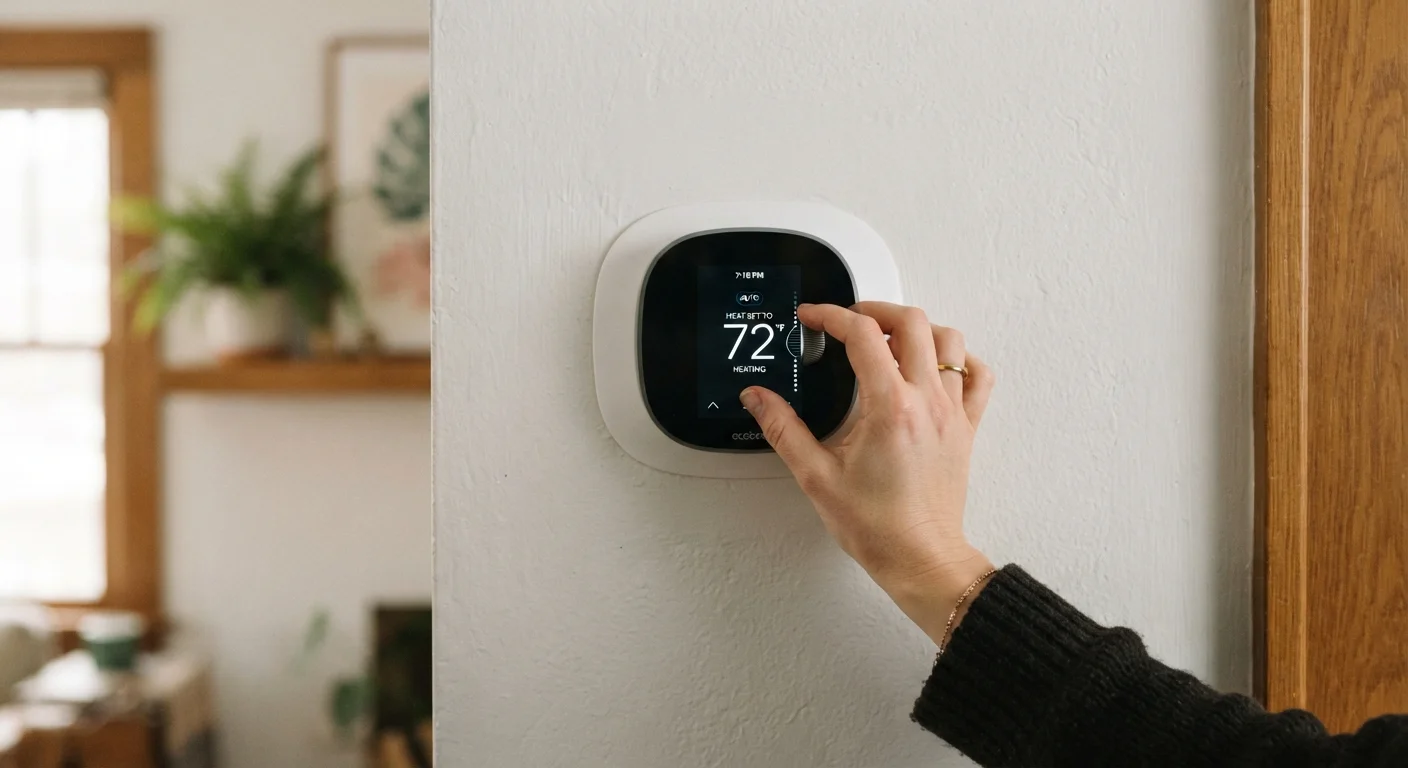
Smart thermostats stand out as the most broadly useful category. When a household has regular patterns (people leave for work at similar times, return at predictable hours), automated scheduling can cut heating and cooling costs without requiring manual adjustment each day. The benefit shrinks in households with irregular schedules.
For security, smart doorbells and cameras extend awareness beyond what a peephole or standard alarm provides. Getting a notification when a package is delivered or when motion is detected near an entry point has practical value, particularly for households where someone travels frequently.
Accessibility is an underappreciated benefit. Residents who have difficulty reaching light switches, locking doors manually, or adjusting a thermostat can find voice or app control meaningful rather than merely convenient.
Can reduce energy bills through automated scheduling
Smart thermostats can learn household patterns and adjust heating or cooling automatically. The U.S. Department of Energy notes that programmable thermostats used correctly can reduce HVAC costs.
Remote monitoring adds a layer of security awareness
Smart doorbells and cameras let residents check activity at entry points from anywhere with an internet connection, which can be useful when traveling or during an extended absence.
Lighting automation reduces wasted electricity
Motion-triggered or scheduled smart lights avoid the common problem of lights left on in unoccupied rooms, contributing to modest but consistent electricity savings over time.
Voice and app control simplifies daily routines
Grouping devices under a single app or voice assistant allows households to manage several systems without moving room to room, which can benefit people with limited mobility in particular.
Real-time alerts for leaks, smoke, and carbon monoxide
Smart sensors for water leaks and air quality send phone notifications immediately, giving homeowners a faster response window than traditional alarms alone.
Where smart devices fall short
The friction points tend to cluster around setup, ongoing reliability, and data practices.
Compatibility between brands is inconsistent, and the problem compounds as a household accumulates more devices. A light switch from one manufacturer may require its own app, separate from the thermostat app and the doorbell app. The promise of a unified smart home often depends on investing within a single ecosystem, which limits flexibility.
Privacy deserves direct attention. Smart speakers with microphones and cameras with continuous recording collect data about household activity. Reading a manufacturer's privacy policy before purchasing gives a clearer picture of what is collected and whether it can be shared with third parties or used for advertising.
For renters, the practical ceiling is lower. Many landlords prohibit changes to door hardware or electrical systems, so smart locks and hardwired doorbells may not be installable. Even where they are, removing them at move-out adds effort.
Privacy risks from data collection by manufacturers
Most smart devices send usage data to the manufacturer's servers. What that data is used for, how long it is retained, and who can access it varies by company and is often described only in lengthy terms of service.
Compatibility gaps between brands create friction
A thermostat from one manufacturer may not communicate smoothly with a security system from another. While standards like Matter aim to improve interoperability, adoption across the market is still uneven.
Setup and troubleshooting requires technical comfort
Installing smart devices typically involves router configuration, app accounts, and firmware updates. For households without reliable technical support, ongoing maintenance can become a recurring frustration.
Dependence on internet connectivity and power
Smart locks, lights, and thermostats revert to limited or manual function during internet outages or power failures. A household that relies heavily on automation may find disruptions more disruptive than in a traditional setup.
Upfront hardware costs are higher than traditional alternatives
A smart thermostat or lock costs considerably more than a standard model. If a household moves or upgrades platforms, some devices may not transfer easily to the new environment.
Renters face installation and ownership barriers
Many landlords restrict modifications to electrical wiring, door hardware, or thermostat systems. Renters who install smart devices may need to remove them at move-out, reducing the practical benefit.
A note on smart device compatibility standards
The Matter standard, developed by an industry consortium, is intended to let smart home devices from different manufacturers work together more reliably. However, not all existing devices support it, and older products are unlikely to receive updates that add compatibility. Before purchasing any device, check whether it works with the platforms and devices already in your home.
How to evaluate whether smart devices fit your household
Start with the problem you want to solve, not the device category. If heating bills are the concern, a smart thermostat has a clear use case. If the concern is about package theft, a video doorbell addresses that directly. Buying devices speculatively, because a product seems interesting, often leads to unused hardware.
Before purchasing, confirm that the device works with your existing internet router and any platforms already in use. Check whether the manufacturer has a history of discontinuing app support for older devices. A product that stops receiving software updates eventually stops functioning safely or reliably.
Budget considerations matter beyond the purchase price. Some smart security cameras and doorbells require a subscription for cloud storage of recorded footage. Without the subscription, recording history may be unavailable. Factor recurring costs into any comparison.
Managing home technology is one part of a broader household budget. Our personal finance guides cover how to approach budgeting for home improvements alongside other household priorities.

Author
Home & Lifestyle Editorial Team
Home & Lifestyle Editorial Team is the collective byline for our editorial team and contributor network. Articles published under this byline or an editorial pen name are researched, written, and reviewed according to our editorial standards for clarity, consistency, and independence before publication.
View all articles →